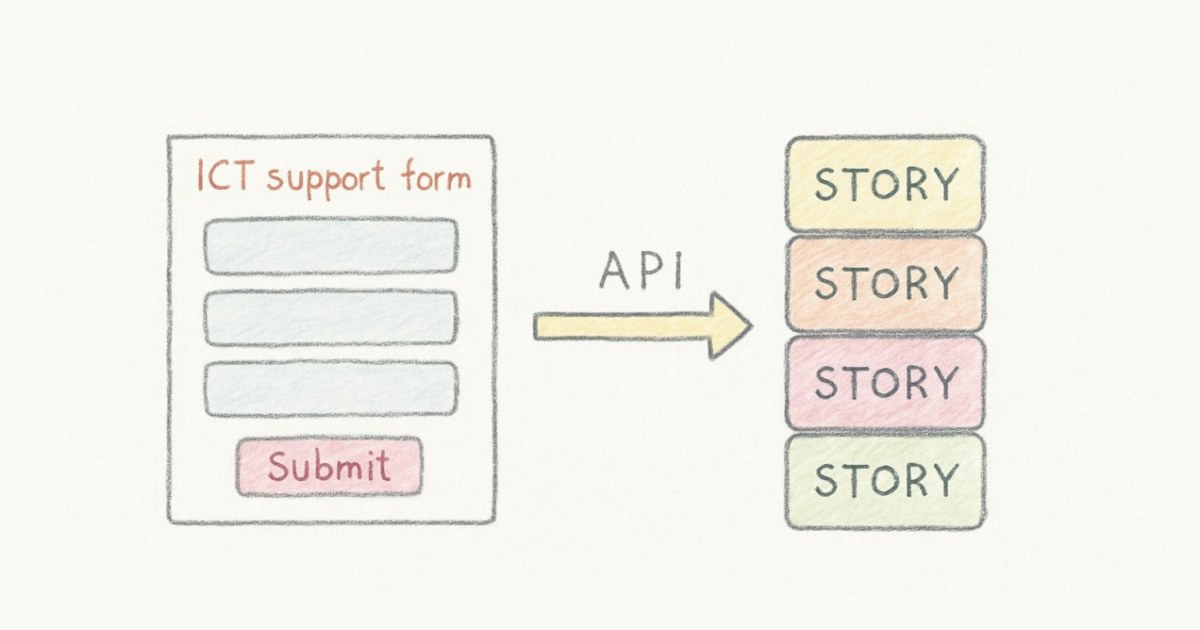
A support ticket lands in a web form. Someone reads it, understands it, and then retypes the whole thing into the backlog by hand. Do that a dozen times a week and you have a small, permanent tax on your team's attention, plus the occasional request that quietly falls through a crack and is never seen again.
So we gave Scrumpy an API. Point an external system at it, and it creates the story for you.
It is live now, and like the rest of Scrumpy, it is part of your flat plan rather than a bolt-on you unlock.
A key per team, managed by admins
Open Team settings and you will find an API keys section. An admin creates a key, names it something like "ICT support form," and copies the token once. That token is scoped to that one team, so anything holding it can only touch stories there (create, update, or delete), never in another team or another organization. The boundary is built into the key, not a rule you have to remember to enforce.
Need to shut a key off? Revoke it from the same screen and it stops working the moment you do.
A boring, predictable surface
Creating stories is one request. You send an array, so one story and fifty go the same way:
POST https://scrumpy.it/api/v1/stories
Authorization: Bearer <your API key>
Content-Type: application/json

{
  "stories": [
    {
      "title": "Printer on the 3rd floor is offline",
      "description": "Won't power on since this morning.",
      "requester_email": "jane@corp.test",
      "story_type": "bug",
      "priority": "high"
    }
  ]
}
The array is always there, even for one story, so there is a single shape to learn instead of two. Send up to a hundred at a time, which is exactly what you want the day you move off another tool and need last year's backlog to land in one go. It is all-or-nothing: if one story in the batch is malformed, none of them are created and the response tells you which one, so you never end up half-migrated.
That create surface maps to the fields you would fill in by hand: title and description, test notes and acceptance criteria, priority and story points, type, status, epic, sprint, assignee and stakeholder. The nice part is how you name the related ones. You do not dig an internal id out of the database; you say the thing the way you would out loud. A status, epic or sprint is its slug ("status": "code-review", "epic": "checkout-redesign"), and a person is their email ("assignee": "dev@corp.test"). Leave a field out and it falls back to a sensible default, normal priority and your team's default status. What you never set is the plumbing: Scrumpy stamps the provenance and the ordering, hands the story its id, and sanitises descriptions on the way in, so pasted HTML cannot smuggle anything onto your board.
Editing and removing a story work the same plain way, keyed by the id you get back when it was created, a readable reference like IT-42, not a raw database number. To change one, send a PATCH with only the fields you want to touch:
PATCH https://scrumpy.it/api/v1/stories/IT-42
Authorization: Bearer <your API key>
Content-Type: application/json

{ "description": "Replaced the fuse, back online." }
To remove one, DELETE the same address. It lands in the trash exactly as it would if you had deleted it from the board, so a wrong call is recoverable rather than final. Create, edit, delete, and nothing else to hold in your head.
There is one limit worth knowing about, and it is generous. Each key gets its own budget of 60 requests a minute. Go over and you get back a 429 with a Retry-After header telling you how many seconds to wait. A support form or a nightly sync will never come near it, and because a bulk create carries a hundred stories in one request, even a full migration stays comfortably under. The limit is there to catch a runaway loop, not you.
You always know where a story came from
An imported story that looks identical to a hand-written one is a trap, so API stories carry a small badge. On the card, in the detail panel, and in the activity timeline, you can see it was created via the API, along with the requester's email (or the key's name if there is no email). When a teammate opens the ticket, they know at a glance that it came from the support form, and who is waiting on the other end.
A real example: a support form into a backlog
The setup we built this for is an IT support team with a plain web form. Someone submits "my laptop won't charge," the form POSTs to the API with their email as the requester, and a new story appears in the support team's backlog, in the default status, ready to be picked up. No copy-paste, no dropped tickets, and the person who reported it is recorded right on the story.
Swap the form for a monitoring alert, a chatbot, or a nightly script, and the pattern does not change.
Try it
If you are an admin, open Team settings, create a key, and send your first request. The endpoints and copy-paste examples sit right there next to the key. And because it is a small, predictable API, wiring up whatever tool is currently generating work for you tends to be an afternoon's job, not a project.
If you do not have a board yet, you can start a free 7-day trial with every feature included, this one as well, and no credit card. Then let the tools you already use fill the backlog for you, instead of your team filling it by hand.
Frequently asked questions
Who can create and manage API keys?
Only organization admins. Keys are created and revoked from Team settings, and each key belongs to one specific team. A key for one team can never create stories in another team or organization, so there is no way to cross the streams by accident.
What can the API set on a story?
The same fields you would fill in on the story form yourself: title, description, test notes, acceptance criteria, priority, story points, type, status, epic, sprint, assignee and stakeholder. You reference related things by a readable handle, not an internal id: status, epic and sprint by their slug, and assignee and stakeholder by email. Anything you leave out falls back to a sensible default, such as normal priority and the team's default status. Descriptions are sanitised on the way in.
Can the API update and delete stories, or only create them?
All three. You create stories by POSTing an array of them, update one by sending a PATCH to its id (a readable reference like IT-42) with just the fields you want to change, and delete one with a DELETE to the same address. A deleted story goes to the trash and can be restored, exactly as when you delete it from the board.
Does the API have rate limits?
Each API key gets its own budget of 60 requests per minute. Go over it and you get a 429 response with a Retry-After header telling you how many seconds to wait. Because a bulk create takes up to 100 stories in a single request, even a large migration stays well under the limit, so a normal integration never hits it.
How do we know a story came from the API?
Every API-created story is tagged on the card, in its detail panel, and in its activity history. It shows the requester's email (or the key's name when there's no email), so you always know a story arrived through an integration and who asked for it.
Is the API included in our plan?
Yes. Like everything else in Scrumpy, it is part of the same flat plan, $9 per editor per month with every feature included. No API tier, no per-request fees, and view-only seats stay free.