Scrum without the
Jira overhead
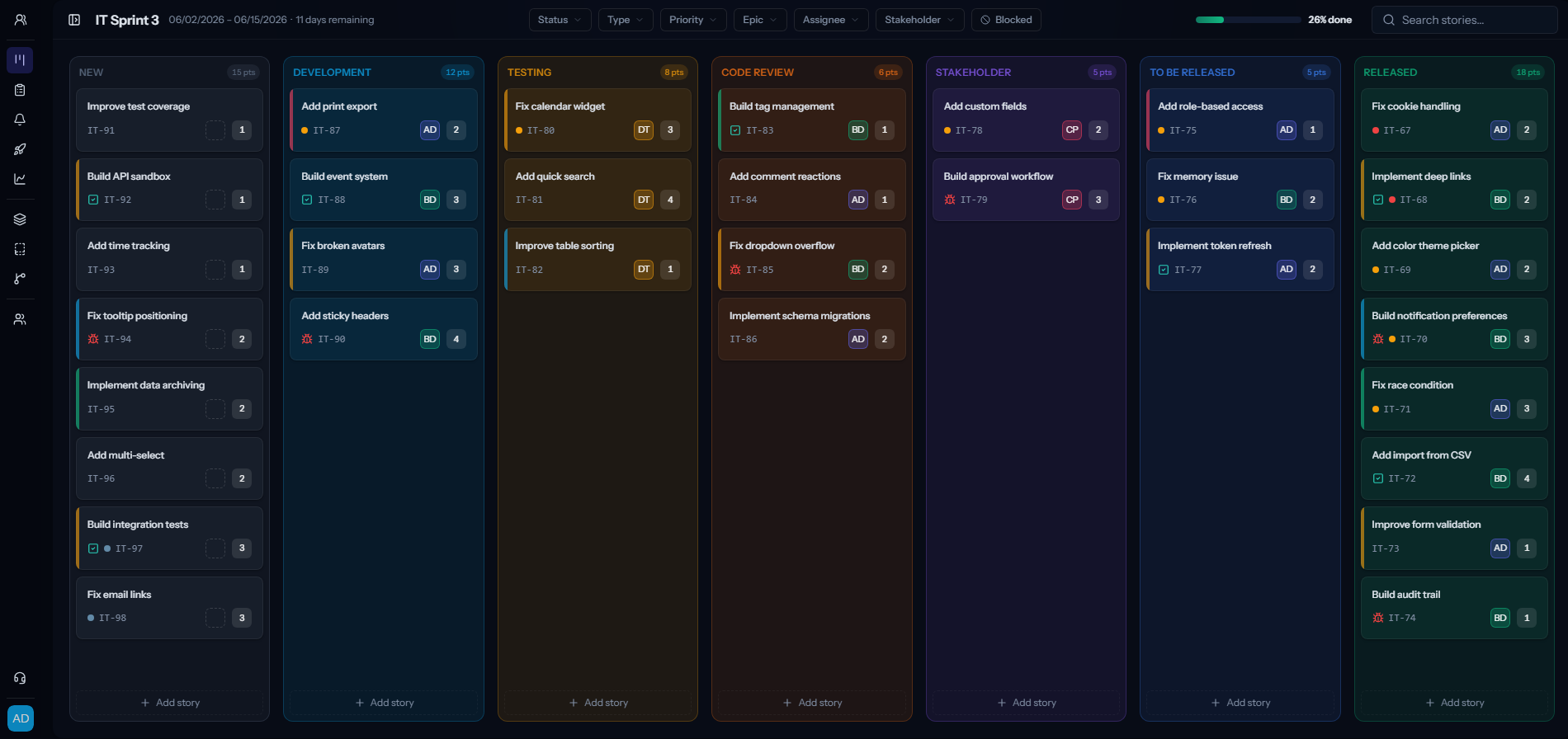
Jira can do almost anything, and sells almost anything. The options pile up, the lines blur, and it is easy to feel lost and end up paying for products you never needed. Scrumpy gives your whole organization a clean board, backlog, sprints and epics that people actually use, at one flat price you can read in ten seconds. One team or fifty.
What you get with Scrumpy
Free seats, no limit
You only pay for the people who actively manage the work. Stakeholders, clients and viewers come along for free, however many of them you have.
Everything is included
No paid add-on that one person needs but the whole team has to fund. The features you see are the features you get.
No lock-in
Your data is yours. Export it whenever you want and leave the day you decide to. We would rather earn the renewal than trap you into it.
A bill you can actually read
One flat price per editor, billed monthly or annually. No quote calls, no add-on math, no invoice that takes an hour to decode.
Modern and real time
The board updates live as your team moves cards, so everyone is looking at the same picture without hitting refresh.
Columns you control
You pick which statuses show as columns on the board. Keep a terminal status like Won't do off it, so the board stays lean and your active columns are always in the same place, not appearing and disappearing as they empty out.
Scrumpy vs Jira at a glance
| Scrumpy | Jira | |
|---|---|---|
| Pricing model | Flat per editor, free viewers | Per user, plus paid Marketplace apps |
| Free / trial | Full product, 7-day trial | Free for up to 10 users |
| Stakeholder & viewer seats | Unlimited and free | Count toward your user total |
| Setup | Works out of the box | Configurable, needs setup |
| Configuration | Per team and per user | Per project, admin managed |
What it actually costs
The trouble with Jira is rarely the sticker price. It is how much there is to buy. The catalogue is vast, the lines blur, and it is easy to feel lost and end up paying for products you never really needed. Here is what one real eleven-person team actually paid Atlassian each month:
Jira
the agile tool, Standard, 11 users
$94.60
Jira Service Management
a separate help-desk product, 6 agents
$142.80
Test management add-on
a Marketplace app, billed for all 11 users
$60.50
Their monthly total
$297.90/mo
The same 11 people on Scrumpy: one product, one flat price
$99/mo
A real monthly bill, anonymized, prices excluding VAT. Only about a third of it was the agile tool; the rest was a separate help-desk product and a test add-on billed across the whole team. Both prices are monthly; billed annually Scrumpy drops to $82.50. (Heavyweight test-case management, if you truly need it, is a separate tool either way.)
When Jira is the better fit
We are not here to pretend Jira is bad. If you need deep enterprise customization, portfolio management across many programs, or its huge marketplace of integrations, Jira earns its complexity. Scrumpy is for everyone for whom that complexity is the cost rather than the benefit, whether that is one team or fifty.
A Jira alternative for small teams
Jira is built for large organizations, and small teams feel it: admin overhead, plan tiers and Marketplace apps to keep track of. Scrumpy gives a small team everything it needs and nothing it does not.
- No administrator role required. Anyone can set up a board and start a sprint.
- Flat per-editor pricing, so your bill is predictable as the team grows.
- Free view-only seats for clients, founders and stakeholders.
- Up and running in minutes, not a configuration project.
Give your team scrum they will enjoy
Move your board, backlog and sprints over in an afternoon. No credit card to start.
Scrumpy vs Jira: frequently asked questions
Is Scrumpy cheaper than Jira?
For most teams, yes. Scrumpy is one flat plan at $9 per editor per month ($7.50 billed annually) with every feature included and free view-only seats. Jira starts cheap but costs climb as you move up plan tiers and add paid Marketplace apps to fill gaps.
Can I migrate my Jira issues to Scrumpy?
Yes. You can import your Jira issues from a standard Jira CSV export and map their statuses onto your Scrumpy board during the import.
Do stakeholders need a paid seat like in Jira?
No. View-only users are free and unlimited in Scrumpy, so clients, managers and other stakeholders can follow the work without taking up a billable seat.
What does Jira do that Scrumpy does not?
Jira is the better fit for deep enterprise customization, portfolio management across many programs, and its large marketplace of integrations. Scrumpy is for teams that want clean scrum without that overhead.
Is Scrumpy a good Jira alternative for small teams?
Yes. Small teams are exactly who Scrumpy is built for. There is nothing to administer, the price is flat per editor, stakeholders are free, and you can run your first sprint within minutes of signing up.
Do small teams need to pay for Jira features they will not use?
In Jira, advanced features and apps often sit behind higher tiers or paid Marketplace add-ons. Scrumpy includes every feature in one flat plan, so a small team is never paying for an enterprise feature set it does not need.