Scrum and kanban
in one tool
Some teams run sprints. Some just want a board where work flows. Scrumpy does both: turn sprints on for full scrum, off for an always-on kanban, and let every team pick its own way of working in the same workspace.
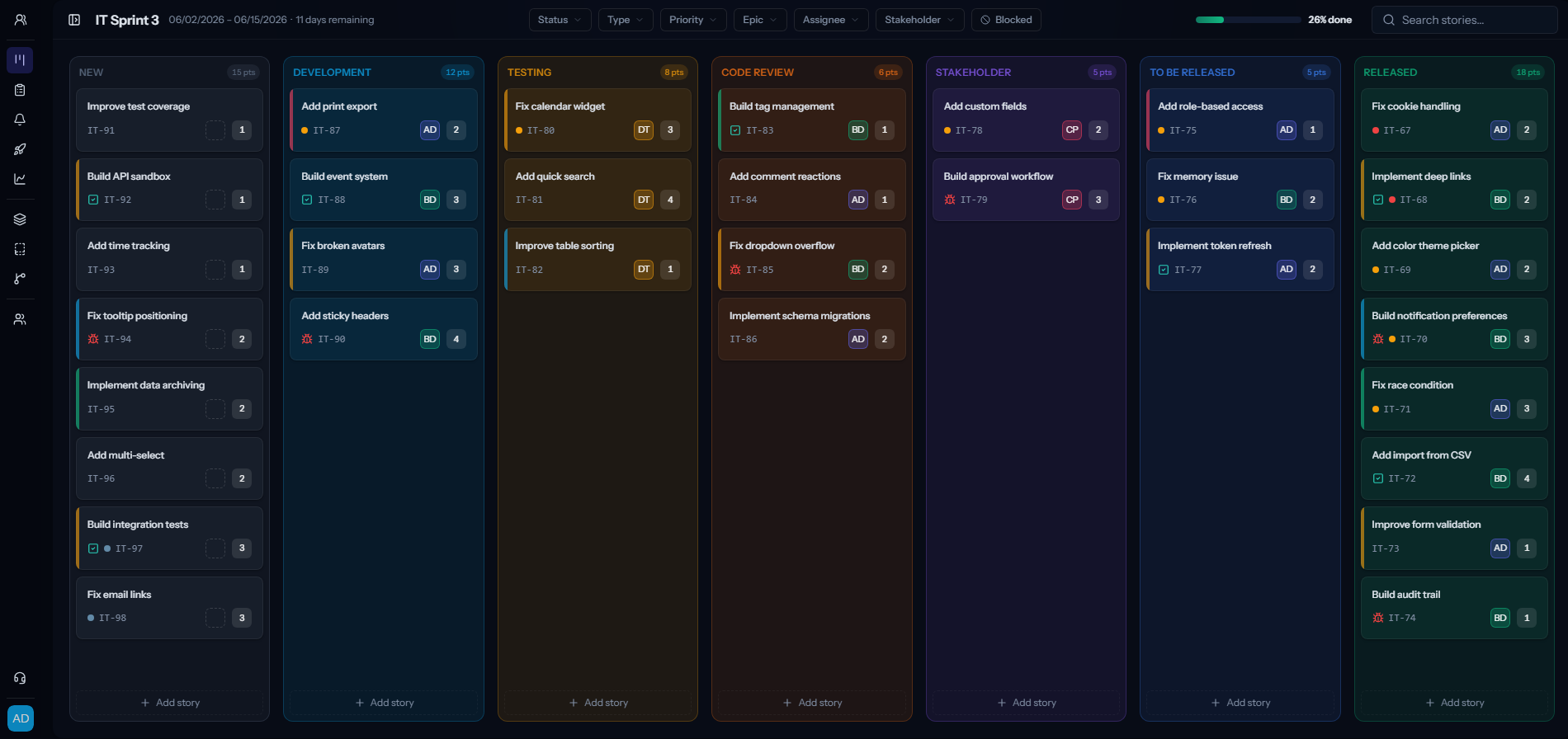
Two ways to work, one tool
Scrum when you want sprints
Full scrum: sprints, a backlog, story points and epics. Plan in sprints and estimate the work the way a scrum team does.
Kanban when you do not
Turn sprints off and the same board becomes an always-on kanban. Cards live on the board by status and just flow, with no sprint boundary to reset them.
Both, side by side
Every team picks its own mode. Run a scrum product team and a kanban support queue in the same workspace, on one flat bill.
One tool, both ways of working
Most companies do not fit neatly into scrum or kanban. Product runs sprints, support runs a queue, and ops just wants a flowing board. Scrumpy lets each team choose, and switch, without paying for two tools.
- Turn sprints on for scrum: backlog, sprint planning, story points and epics.
- Turn sprints off for kanban: a permanent board where cards flow by status.
- Set the mode per team, so scrum and kanban live in the same workspace.
- Switch a team from one to the other whenever the way it works changes.
Frequently asked questions
Can I use both scrum and kanban in the same account?
Yes. Each team chooses its own mode. One team can run sprints while another runs a plain kanban board, all in the same workspace and on one bill.
How do I switch a team between scrum and kanban?
In the team settings, turn sprints on for scrum or off for kanban. The board adapts immediately, and you can switch back whenever you like.
What is the difference between the two modes?
Scrum mode adds sprints, a backlog, story points and epics. Kanban mode drops the sprint boundary so the board is always on and cards flow through the columns by status.
Do story points and estimation work in kanban mode?
Kanban mode is deliberately lean and leaves out sprints and story points. If you want estimation and sprint planning, use scrum mode, which you can enable per team.
Is this a real kanban board or just scrum with sprints hidden?
It is a genuine always-on kanban. Cards live directly on the board grouped by status and flow through the columns you choose, with no sprint to reset them.
Can I control which columns show on the board?
Yes. You pick which statuses appear as columns, so you can keep a terminal status like Won’t do off the board and keep it lean.
Run scrum and kanban together
Start a free trial, give each team the board that fits how it works, and pay one flat price per editor.