Scrum for developers,
without the GitHub lock-in
ZenHub puts your board inside GitHub, which suits developers and shuts out everyone else. Scrumpy keeps the git connection your developers want, links to GitHub or GitLab, and lets clients and stakeholders follow along for free, no GitHub account needed.
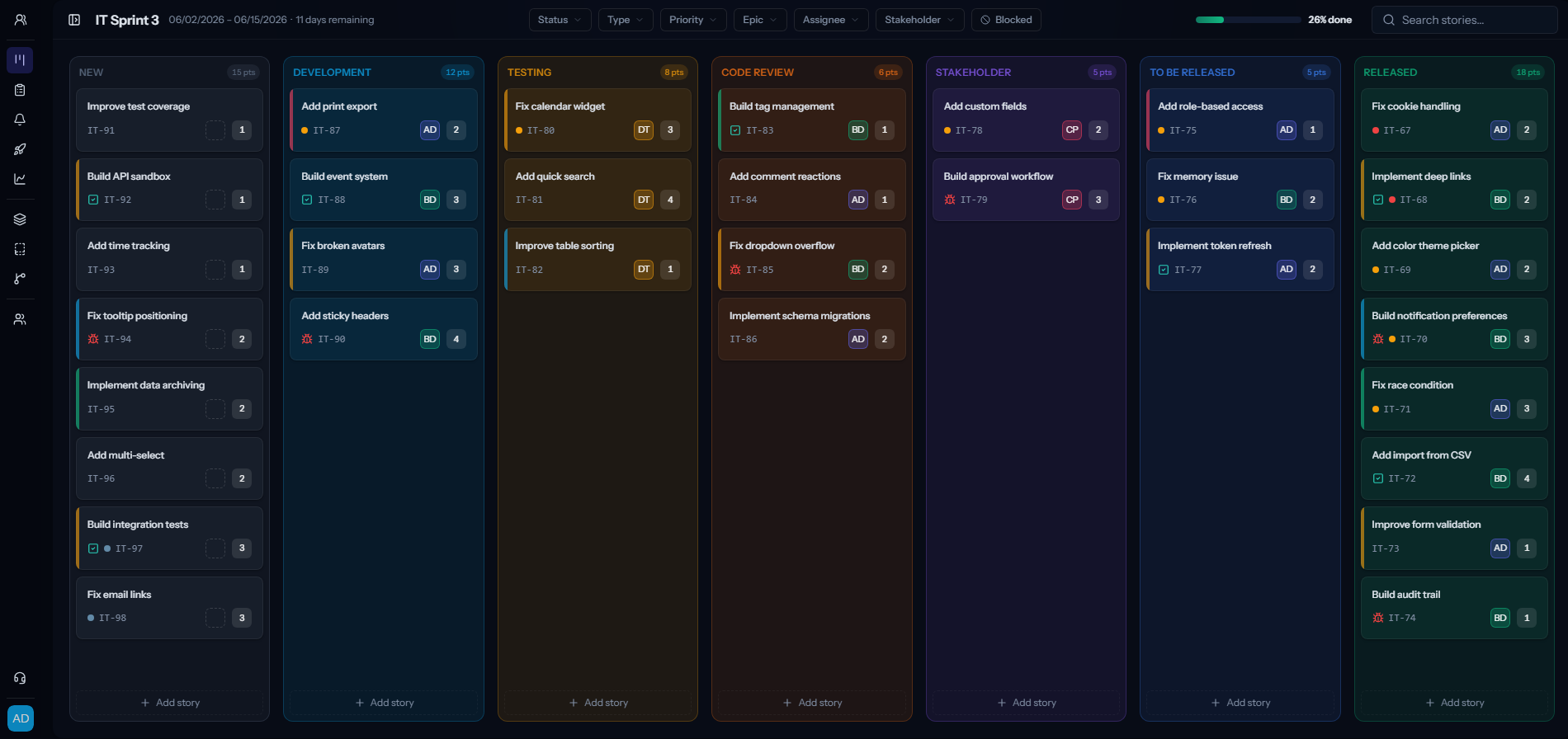
What you get with Scrumpy
Free seats, no limit
You only pay for the people who actively manage the work. Stakeholders, clients and viewers come along for free, however many of them you have.
Everything is included
No paid add-on that one person needs but the whole team has to fund. The features you see are the features you get.
No lock-in
Your data is yours. Export it whenever you want and leave the day you decide to. We would rather earn the renewal than trap you into it.
A bill you can actually read
One flat price per editor, billed monthly or annually. No quote calls, no add-on math, no invoice that takes an hour to decode.
Modern and real time
The board updates live as your team moves cards, so everyone is looking at the same picture without hitting refresh.
Columns you control
You pick which statuses show as columns on the board. Keep a terminal status like Won't do off it, so the board stays lean and your active columns are always in the same place, not appearing and disappearing as they empty out.
Scrumpy vs ZenHub at a glance
| Scrumpy | ZenHub | |
|---|---|---|
| Pricing model | Flat per editor, free viewers | Per user |
| Where it lives | Standalone, links to your repos | Inside GitHub |
| Git hosts | GitHub and GitLab | GitHub only |
| Stakeholder & viewer seats | Unlimited and free | Need access like any user |
| Non-developers | Join free as viewers | Pulled into your GitHub |
What 10 people on 5 repositories costs
Roughly what each tool costs a 10-person team, and where ZenHub's free plan stops.
Scrumpy
$90/mo
Flat per editor, unlimited free viewer seats, every feature in the one plan. Billed annually it is $75.
ZenHub Free
$0
50 users, but only 1 workspace, 1 GitHub organisation, 2 repositories and 250 issues.
ZenHub Teams
≈ $50/mo
$4.99 per user monthly billed yearly, $7.50 billed monthly. Lifts you to 10 workspaces, 50 repositories and unlimited issues.
List prices, September 2026. Scrumpy is $9 per editor / month, or $7.50 billed annually, with free viewers. ZenHub Teams is $4.99 per user / month billed yearly. Always check the vendor for current pricing.
When ZenHub is the better fit
If your entire team lives in GitHub and never wants to open a separate app, ZenHub’s in-GitHub boards are a natural fit. Scrumpy is for teams who want a fast standalone board, free seats for everyone who just needs to follow along, and the freedom to keep code on GitHub or GitLab.
A board everyone can see, not just GitHub users
ZenHub lives inside GitHub, which is great for developers and awkward for everyone else. Clients, managers and stakeholders either get pulled into your GitHub or get left out. Scrumpy keeps the developer connection to your repositories while giving everyone else a free, view-only seat, no GitHub account required.
- Developers still get git branch links to GitHub or GitLab from every story.
- Stakeholders and clients watch the board for free, without a GitHub login.
- One flat price per editor instead of paying per user.
- A standalone board that works whether or not your code is on GitHub.
Give your team scrum they will enjoy
Move your board, backlog and sprints over in an afternoon. No credit card to start.
Scrumpy vs ZenHub: frequently asked questions
How is Scrumpy different from ZenHub?
ZenHub lives inside GitHub and bills per user. Scrumpy is a standalone board that links to your GitHub or GitLab repositories, prices flatly per editor, and gives unlimited free viewer seats.
Does Scrumpy connect to GitHub like ZenHub?
Yes. Point a team at its repository and every story gets a git branch name and a direct link to it on GitHub or GitLab.
Do stakeholders need a GitHub account to see the board?
No. In Scrumpy, viewers join for free and see the board in the browser. They never need a GitHub login.
Does Scrumpy work with GitLab?
Yes. Scrumpy links stories to branches on GitHub or GitLab, so you are not tied to a single git host.
Is Scrumpy cheaper than ZenHub?
For most teams, yes, once you count everyone who only needs to watch. Editors are a flat $9 per month, and view-only users are always free.
Can developers create stories from scripts or the command line?
Yes. Scrumpy has a REST API to create stories and a CLI to start a story and get its git branch, so the board fits into your existing workflow.
What are the limits on ZenHub's free plan?
ZenHub's free plan allows up to 50 users but caps you at 1 team workspace, 1 connected GitHub organisation, 2 repositories and 250 issues. The Teams plan lifts those to 10 workspaces, 50 repositories and unlimited issues at $4.99 per user per month billed yearly, or $7.50 billed monthly.
Is GitHub Projects a good ZenHub alternative?
For teams that want to stay inside GitHub, yes. GitHub Projects supports iteration fields for week-by-week planning, start and target dates, and customisable insight charts, and it is included with GitHub rather than billed separately. It is limited to 50 fields per project and is less opinionated about scrum than a dedicated tool.
Why do teams leave ZenHub?
The two most common reasons are the repository cap on the free plan, which small teams hit quickly when they split services across repos, and a preference to stop coupling sprint planning to GitHub issues entirely so that non-engineers can take part without a GitHub account.
Can I move my ZenHub issues to another tool?
Yes, because ZenHub stores its data on GitHub issues. Export your issues from GitHub to CSV, then import that CSV into the new tool and map each status onto a column. Scrumpy reads the file, previews it before creating anything, and lets you set the status mapping during import.